

Compress PDF Below 500KB: 6 Proven Free Ways That Keep Your Text Sharp
You filled in the whole application form. You attached your certificate. Then the portal throws a red error: "File size must not exceed 500KB." Sound familiar?
If you need to compress PDF below 500KB right now, here is the short answer. Open a free online compressor such as the EZCompress PDF tool, upload your file, choose a strong compression level, download the result and check that it shows 450KB or less. Most documents get there in under a minute, and the sections below cover everything that can go wrong along the way.
Quick answers
- To compress PDF below 500KB safely, finish at 450KB or lower. That buffer protects you from rounding and unit differences.
- Image heavy and scanned PDFs shrink the most. Text only PDFs are usually small already.
- If one pass is not enough, lower image resolution to about 150 DPI, switch color pages to grayscale, or split the file.
- Never compress the same file again and again. Go back to the original each time.
What Does "Compress PDF Below 500KB" Actually Mean?
A kilobyte is not the same everywhere, and that is the first trap. Windows and many web forms count in binary units, where 1KB is 1,024 bytes, so a 500KB limit there is 512,000 bytes. Macs and some servers count in decimal units, where 1KB is 1,000 bytes, so the same limit is 500,000 bytes. That gap is why a file can read 498KB on one device and still bounce back from a strict server.
So when you set out to compress PDF below 500KB, treat 450KB as your real finish line. A 10 percent buffer also covers metadata the portal may add, and the odd upload form that counts the filename too.
Why Portals Demand PDFs Under 500KB
Job boards, scholarship systems, tax offices, visa forms, university admissions and many insurance claim pages cap uploads at 500KB. The reason is simple: thousands of applicants upload at the same time, and small files keep storage costs and page loading times down. Some forms accept only one file per field, so you cannot always split a document into parts.
If you are not sure what your portal wants, check the helper text next to the upload button. It often hides in small grey type. Limits can also change between application cycles, so read it every time instead of trusting what worked last year.
Why Your PDF Is Bigger Than It Should Be
Before you shrink anything, it helps to know what is making the file heavy. A PDF is a container. Inside it you may find:
- Images. A phone photo or flatbed scan is the number one culprit. A single color page scanned at 300 DPI can pass 1MB on its own.
- Embedded fonts. Fancy or custom fonts get copied into the file so it looks the same everywhere.
- Hidden extras. Thumbnails, form data, comments, attachments and old edit history all add weight.
- Transparency and vector effects. Shadows, gradients and layered graphics can balloon after export from design software.
Adobe's documentation on optimizing PDFs points to the same areas: images, fonts, transparency, discarded objects and user data. Once you know which one is your problem, you pick the right fix instead of squeezing blindly. This is the foundation of any reliable way to compress PDF below 500KB.
How to Compress PDF to 500KB Online Free (Step by Step)
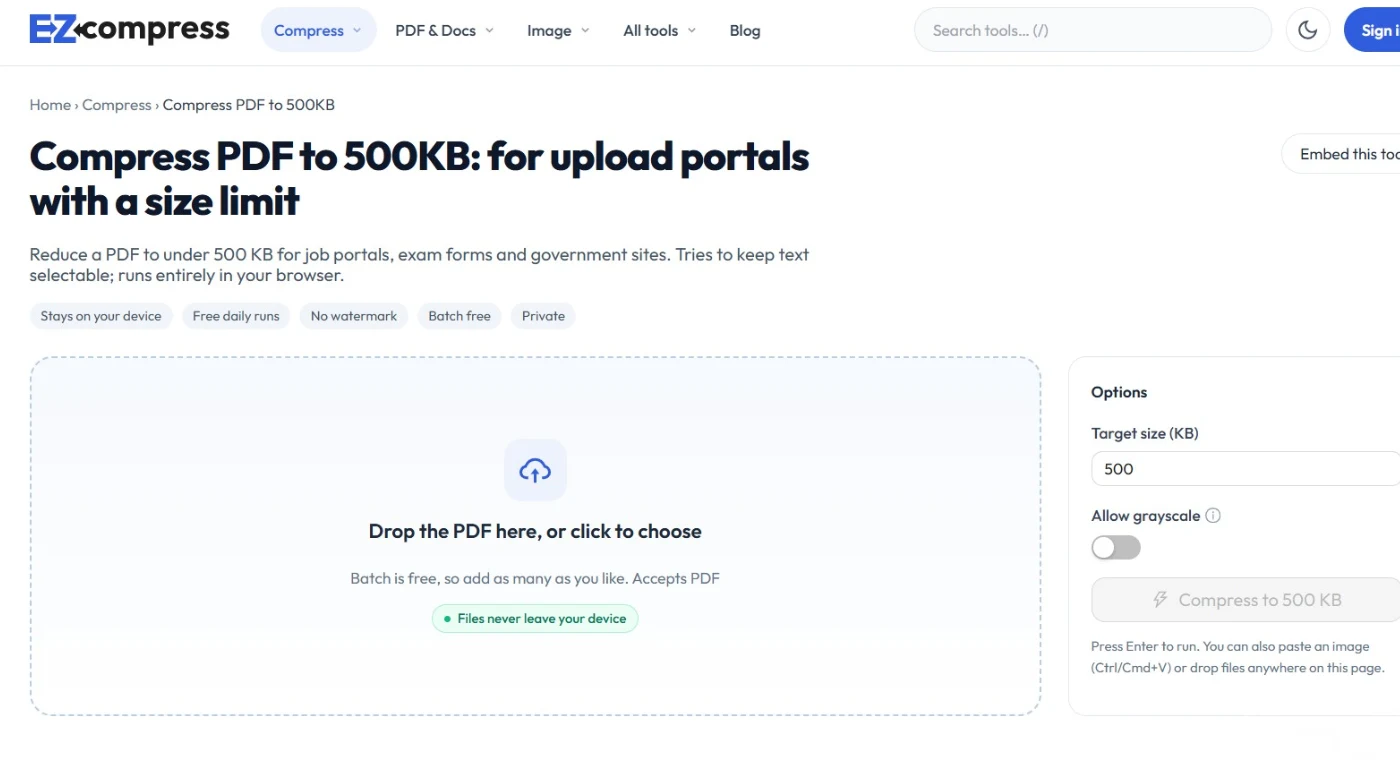
This is the fastest route and works on any device, including a phone. If you want to compress PDF to 500KB online free, here is the process with EZCompress.
- Open the tool. Go to ezcompress.org in any browser. No software install is needed.
- Upload your PDF. Tap the upload button or drag the file in.
- Pick a compression level. Start with the medium or recommended setting. If the result is still above 500KB, repeat from your original with the strongest setting.
- Compress and download. Wait a few seconds, then save the new file.
- Check the size. Right click the file on a computer (Properties on Windows, Get Info on Mac) or long press on a phone. You want 450KB or lower.
- Open and scan the pages. Zoom in on stamps, signatures and small print to confirm they are still readable before you upload.
That last step matters more than people expect. A file that passes the size check but has an unreadable signature can still get your application rejected.
A note on privacy. If your PDF holds ID numbers, bank details or medical records, read the privacy policy of any online service to see how long uploaded files are kept. Good tools delete files after processing. For the most sensitive documents, use one of the offline methods further down.
Which Level Gets Your PDF Below 500KB?
Most tools offer three broad levels. Here is how to match them to your file when you want to compress PDF to less than 500KB.
| Original situationStarting levelIf still too large | ||
| 1 to 3MB office document with a few images | Medium | Strong |
| 3 to 10MB scanned form or certificate | Strong | Grayscale first, then Strong |
| Photo heavy brochure over 10MB | Strong | Split into two files |
| Text only PDF over 500KB | Medium (fonts and metadata are usually the cause) | Re-export from the source with "minimum size" |
A useful pattern: if the result lands between 500KB and 700KB, you are close. A stronger setting or a switch to grayscale usually closes the gap without a visible quality drop.
How to Compress PDF to 400KB
Sometimes the limit is tighter than 500KB. A few exam and application sites ask for 400KB or even 200KB. To compress PDF to 400KB, follow the same workflow but be stricter:
- Start with the strongest setting right away.
- Reduce images to about 120 to 150 DPI. That is plenty for reading on screen.
- Convert color pages to grayscale if color is not required.
- Delete pages the form does not ask for, such as blank back sides or cover sheets.
If your target is 400KB, the safe finish line is about 360KB, using the same 10 percent buffer idea described earlier.
How to Compress PDF to 500KB Without Online Tools
Online tools are convenient, but you should know the offline options too. They help when you have no internet, or when the file is too private to upload. Each of these can also pdf compress to 500kb if you adjust the settings.
Method 1: Adobe Acrobat
In Acrobat on Windows or Mac, choose Save as Other, then Optimized PDF. You can then tune panels for images, fonts, transparency, discarded objects and discarded user data, as Adobe explains in its Acrobat optimization guide. Lowering image resolution is usually the single biggest win.
Method 2: Mac Preview
Open the PDF in Preview, go to File, then Export, and choose the Reduce File Size Quartz filter. It is quick, but it is aggressive and can make images look soft, so zoom in and check before you upload.
Method 3: Microsoft Word or PowerPoint
If you still have the original document, use File, Save As, PDF, and choose Minimum size (publishing online) instead of Standard. This often beats shrinking the finished PDF because the software never writes the heavy data in the first place.
Method 4: Print to PDF at lower quality
On Windows, "Microsoft Print to PDF" redraws the document and sometimes drops hidden data. Results vary, so treat it as a backup.
Method 5: Rescan at a smarter setting
If you control the scanner, this is the cleanest fix. Scan at 150 to 200 DPI in black and white or grayscale instead of 300 DPI color. You solve the problem at the source and avoid recompression artifacts.
Method 6: Split the file
When a document truly cannot fit, split it into two PDFs and compress each one. Many portals accept several attachments, so check before you give up on a single file.
Compress PDF 400KB to 500KB: Two Different Meanings
This keyword confuses a lot of people, so let us clear it up. It can mean two different things.
Case 1: Your file is already between 400KB and 500KB. Good news, you are inside the limit. Just avoid running it through another heavy pass, because that only hurts quality.
Case 2: A portal wants a minimum size. Some forms require at least 400KB, usually because they assume a clear scan will be larger than that. If your file is too small, here is how to raise it honestly.
PDF size increase 500KB: how to do it properly
If you need a pdf size increase 500kb to meet a minimum, these steps work:
- Rescan at 200 or 300 DPI instead of 100 DPI.
- Re-export from the source document with Standard quality instead of Minimum size.
- Use a lighter compression level, or skip compression entirely.
- Insert the page as a higher resolution image before saving as PDF.
What you should avoid is stuffing junk data or fake attachments into the file just to hit a number. Some systems scan for oddities, and a padded file can cause more trouble than a genuine higher quality scan.
Quality vs Size: A Rough Guide
Image resolution drives most of the size. These figures are ballpark guides, because every document differs.
| Image resolutionBest forTypical effect on a scanned page | ||
| 300 DPI | Printing, fine detail | Large file, often over 1MB per color page |
| 200 DPI | Clear signatures and good reading | Noticeably smaller, still crisp |
| 150 DPI | Screen reading and most portals | Often the sweet spot to compress PDF size to 500KB |
| 100 DPI or less | Last resort | Very small, text may look soft |
5 Mistakes That Keep Your PDF Above 500KB
- Compressing the same file repeatedly. After the first pass you gain little extra shrinkage and add more blur. A university IT help page makes the same point about repeated optimization in the SIUE knowledge base. Always restart from the original.
- Ignoring color. A color scan of black text on white paper wastes space. Grayscale or black and white is often enough.
- Leaving blank or unneeded pages in. Every extra page adds data.
- Embedding a huge logo on every page. Repeated images are a hidden cost. Swap the header for a smaller version.
- Trusting the size shown on one device. Check the number again on the device you are uploading from, since units can differ.
Still Rejected Even Though the File Is Under 500KB?
It happens, and it is frustrating. Walk through this checklist:
- Unit mismatch. The portal may count differently from your device. Go lower, to about 450KB.
- Password protection. Some portals cannot open encrypted PDFs. Save a fresh copy without a password.
- Odd filename. Remove spaces, brackets and special characters. Use something like
john-resume.pdf. - PDF structure. Re-saving the file through a different tool can clean up odd internal structure.
- Browser or session problem. Try another browser, or upload from a different device.
3 Pro Tips to Compress PDF Below 500KB Faster
Tip 1: Keep a master copy. Save original scans in a folder named "Originals" and only ever compress copies. If a portal changes its limit next month, you can redo the job with better settings.
Tip 2: Compress before you merge. If you are combining five documents into one PDF, shrink the heavy ones first. The merged total then becomes predictable.
Tip 3: Test with the lowest quality that still reads well. Zoom to 100 percent and read your smallest text. If you can read it comfortably, so can the reviewer.
Why Use EZCompress to Compress PDF Below 500KB
- Free and browser based. Nothing to install, so it works on a work laptop, a library computer or a phone.
- Built for target sizes. Whether you need to compress to 500KB PDF or fit a 400KB limit, the workflow stays the same.
- Fast. Most files finish in seconds.
- Straightforward. Upload, compress, download.
Trusted References and Further Reading
| SourceWhat it coversHow it helps you | ||
| Adobe: Optimizing PDFs | Image, font, transparency and cleanup settings in Acrobat | Shows exactly which settings change PDF size |
| Adobe: Compress PDF to 500KB | Browser tool and guidance for 500KB portal uploads | A second opinion on common 500KB use cases |
| SIUE Knowledge Base: Reducing PDF file size | Step by step Acrobat guidance from a university IT team | Backs the advice to avoid repeated optimization |
| Wikipedia: PDF | How the Portable Document Format is structured | Explains why images and fonts add weight |
Final Thoughts
You now have a full toolkit. Check your portal's real limit, finish at 450KB or lower, always work from your original file and test readability before you upload. If you want the quickest route to compress PDF below 500KB, try the free EZCompress PDF compressor and have your document ready in a minute.
Got a stubborn file that will not shrink? Tell us what is inside it, and we will point you to the right fix.
Every compressor runs in your browser, so your file stays on your device.
Open the compressors