


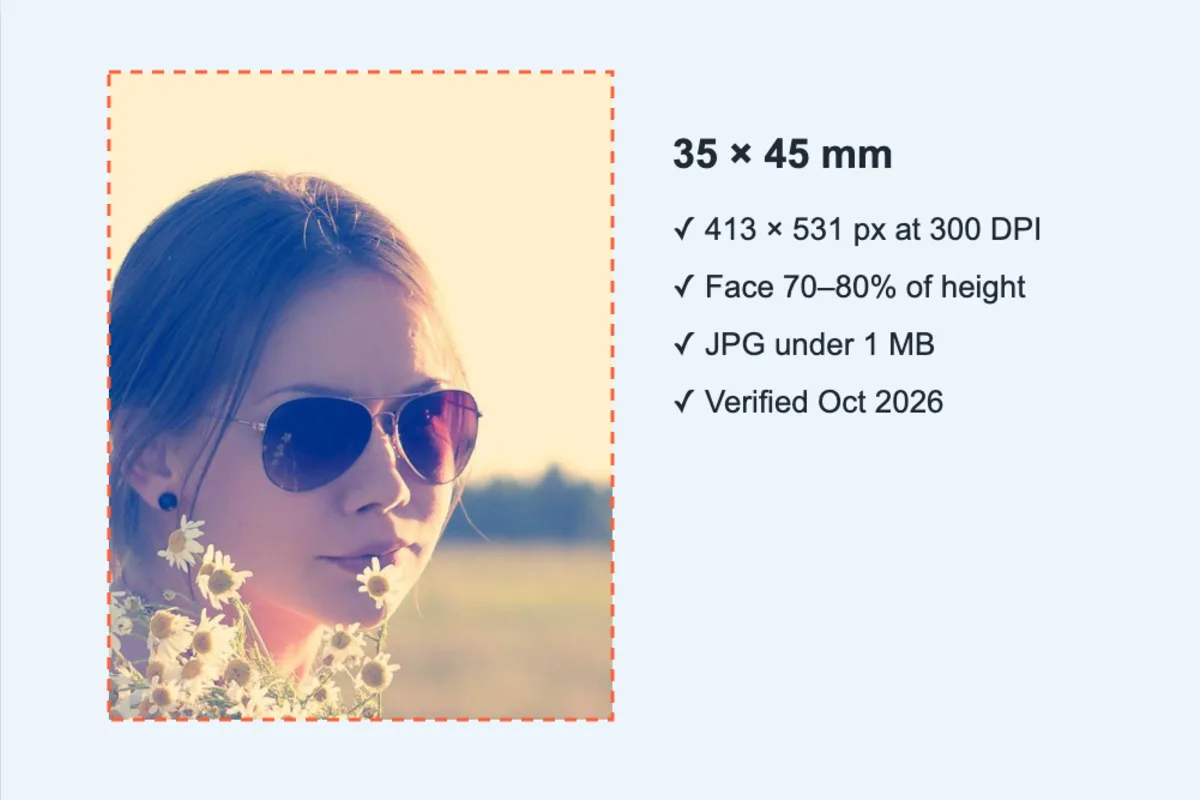
Every country publishes slightly different passport-photo rules: 35×45 mm for the UK and Schengen, 2×2 inches for the US, 51×51 mm for Canada, 600×600 px under 240 KB for US visa uploads. Pick your document, drag the crop guides over your face, and download a file that meets the size, ratio and KB limits, or a printable 4×6 sheet with six photos. Nothing is sent to a server.
What is Passport Photo Maker?
This passport photo maker crops and resizes a picture you already have to the official photo size for your passport, visa or ID application. Pick a country and document, line your face up with the guides, and download a digital file that matches the required ratio, pixel size and, where one applies, the KB limit.
It covers around 20 presets, including the US 2×2 inch photo, the UK and Schengen 35×45 mm photo, Canada's 50×70 mm photo and the US visa upload at 600×600 pixels under 240 KB. You can also make a print sheet to take to a photo shop or print at home.
How to use the Passport Photo Maker
- Choose the country and document (passport, visa, ID).
- Drag and zoom so the face fits between the guides.
- Download the digital file, or a print sheet for 4×6 / A4 paper.
How Passport Photo Maker works
Official photo rules are written in millimetres or inches, but a digital file only has pixels. The link between them is DPI, the number of pixels per inch. At 300 DPI a 35×45 mm photo needs 413×531 pixels, and at 600 DPI it needs twice that in each direction. The tool does this arithmetic for you and writes the DPI value into the JPG so printers produce the correct physical size.
Some online applications also set a file size cap, such as 240 KB for US visas or 120 KB for Chinese visas. For those presets, the photo is compressed step by step until it lands just under the limit rather than far below it, which keeps as much facial detail as possible.
The crop frame is locked to the document's ratio, so the face cannot be stretched. All processing runs in your browser.
Key features of Passport Photo Maker
Free photos, no studio fee
Make the digital file and the print sheet for nothing. There is no watermark across your face and no charge per download, and your free daily runs leave room to redo the crop until it is right.
Official mm, px and KB sizes
Each preset stores the document's millimetre size, any required pixel size and any KB limit, and shows a note with background and head-size rules plus the date it was last checked. Output dimensions are listed before you download.
Ready in seconds
Cropping, resizing and compressing happen on your device, so the finished JPG downloads almost as soon as you click. Building a full A4 sheet of photos takes only a moment longer.
Make it on your phone
Take a selfie against a plain wall and make the ID photo in the same phone browser, on iPhone or Android. The crop guides work with touch, and the page also runs on Windows, macOS and Linux.
Accessible settings panel
The country search, DPI menu, colour picker and download buttons are labelled and keyboard operable, with arrow keys working in the menus. Dark mode, browser zoom and screen reader announcements are supported, and nothing is timed.
Your face stays on your device
ID photos are sensitive biometric data. This tool never sends them to a server: the crop, resize and compression all happen inside the browser tab, which you can confirm in the network tab. The cropping library is the only thing downloaded.
What makes EZ Compress's Passport Photo Maker different
KB limits handled automatically
For presets with a file size cap (US visa 240 KB, China visa 120 KB, Saudi e-visa 100 KB, India OCI and Pakistan online uploads 1 MB) the JPG is compressed to land just under the limit, so you do not need a second tool.
A print sheet that fits the paper
Choose a 4×6 inch or A4 sheet and the tool packs as many copies as fit, with small gaps and light grey outlines to cut along. Six 35×45 mm photos fit on a 4×6 print and thirty on A4.
Honest about what it checks
It guarantees size, ratio, pixels and file size. It does not pretend to judge lighting, expression or glasses. Those rules are listed in the preset note so you can check them yourself before you submit.
Why use Passport Photo Maker?
A passport photo from a high-street booth or studio costs money and a trip out, and the digital copy is often extra. If you already have a clear, well-lit photo against a plain background, you can make the passport size photo yourself in a couple of minutes and print it for the price of a single 4×6 print.
It is especially useful for online applications that reject uploads for small technical reasons: the wrong ratio, too few pixels or a file a few KB over the limit. Choosing the exact preset for your visa or passport portal removes those errors before you hit Submit.
Who can use Passport Photo Maker?
Visa applicants
Create a US visa or DV lottery photo at 600×600 pixels under 240 KB, or a China visa photo at 354×472 pixels within its size cap, ready to upload.
Families renewing passports
Make photos for every family member at home, then print a single 4×6 sheet per person rather than paying for separate booth sessions.
International students
Prepare the photo for a student visa, university ID card or residence permit to the right millimetre size for the country you are moving to.
Overseas workers
Produce Gulf visa photos, such as the UAE 43×55 mm or the Saudi e-visa upload, without hunting for a studio that knows the local specification.
Travel and immigration agents
Turn clients' emailed photos into compliant digital files and print sheets quickly, while the photos stay on your own computer rather than a third-party server.